


Why Your Smart Shed Needs Zero-Trust Security (Before It’s Too Late)

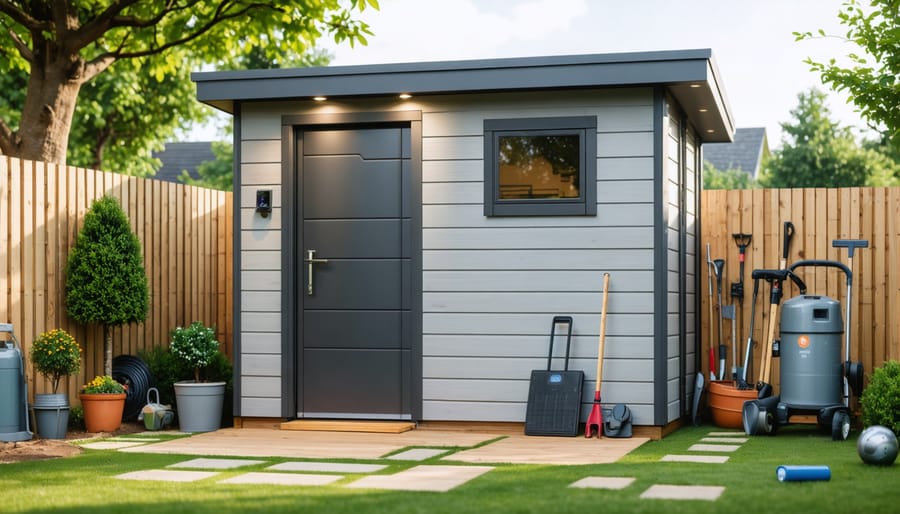
Treat every device in your smart shed as a potential security threat, even your own phone or tablet. Zero-trust security assumes no user or device is automatically trustworthy, requiring verification every time someone or something tries to access your shed’s network. This approach matters more than ever as homeowners add Wi-Fi cameras, smart locks, and environmental sensors to their backyard storage spaces, creating multiple entry points for cyber intruders.
Change default passwords on every smart device before connecting it to your network, using unique 15-character combinations for each piece of equipment. Enable two-factor authentication wherever available, requiring both your password and a phone confirmation code before granting access. Set up a separate guest Wi-Fi network specifically for shed devices, isolating them from your home’s main network where you store family photos, financial records, and personal documents.
Update device firmware monthly through manufacturer apps, as these patches close security gaps that hackers actively exploit. Review which devices actually need internet connectivity and disable cloud features on equipment that works fine locally, like motion sensors that only trigger your phone alerts. Install a network monitoring app to track which devices connect to your shed’s network, immediately investigating any unfamiliar entries.
The investment you’ve made in smart shed technology deserves protection equal to your home security system. Zero-trust architecture isn’t about being paranoid; it’s about being prepared, giving you control over who and what accesses your valuable tools, equipment, and outdoor workspace.
What Makes Your Smart Shed a Target for Hackers
The Weak Link Between Your Shed and Home Network
Your smart shed connects to your home’s Wi-Fi network just like your phone, tablet, or laptop. While this convenience lets you monitor security cameras, control lighting, or check temperature sensors from anywhere, it also creates an unexpected vulnerability in your home’s digital security.
Think of your home network like a neighborhood where all the houses share connecting pathways. When your shed’s smart devices join your Wi-Fi, they become part of this neighborhood. The problem is that many shed devices, like affordable security cameras or basic smart locks, don’t have the same security protections as your computer or smartphone. They’re often the digital equivalent of leaving a window unlocked.
Here’s what typically happens: Your shed connects to the same network that also links to your home computer, where you store family photos, financial documents, and personal information. If a cybercriminal finds a weakness in your shed’s security camera, they can use it as a stepping stone to access these more valuable targets inside your home.
Real homeowner example: Sarah installed a budget security camera in her shed to watch her expensive power tools. What she didn’t realize was that the camera had a default password she never changed. Hackers could have potentially used this camera to probe her entire home network, putting her home office computer at risk.
The good news? Understanding this connection is the first step toward protecting both your shed and home from digital threats.
Zero-Trust Security: Think of It as a Bouncer for Every Device
How Traditional Security Falls Short for Smart Sheds
Think of traditional security like the way most of us used to protect our homes: a sturdy fence around the property and a single lock on the front gate. Once someone gets past that gate (maybe with a key you gave them), they can freely wander anywhere inside. That’s the castle-and-moat approach – everything outside the perimeter is dangerous, but everything inside is automatically trusted.
This worked fine in the old days, but here’s the problem: many smart shed owners use one Wi-Fi password to connect all their devices. Your security cameras, smart locks, temperature monitors, and lighting systems all live behind that single password. If someone cracks that password (perhaps through an old device you forgot about or a guest network you shared too freely), they suddenly have access to everything.
Real-world example: Sarah installed smart cameras in her shed to monitor her woodworking tools. She used the same Wi-Fi password for five years, sharing it with contractors, neighbors, and even her teenage son’s friends. When someone hacked into her network, they didn’t just access one camera – they controlled her entire smart shed system, including the electronic lock.
The castle-and-moat method assumes that once you’re inside the walls, you’re trustworthy. But in today’s connected world, threats can come from anywhere – outdated devices, compromised smartphones, or even that innocent-looking smart plug you bought on sale. Traditional security simply wasn’t designed for the dozens of connected devices now common in our sheds.
Setting Up Zero-Trust Protection for Your Smart Shed
Create a Separate Network for Your Shed Devices
Think of your home network like a house with many rooms. Right now, your shed devices might be sitting in the same room as your laptop, phone, and all the files containing your personal information. Network segmentation is simply creating separate rooms with locked doors between them.
Setting up a guest network for your shed devices is easier than you might think, and it’s one of the most effective ways to protect your family’s data. Most modern routers already have a guest network feature built right in – you’ve probably noticed it when setting up your WiFi but never knew what to do with it.
Here’s the good news: you don’t need to be a tech expert to make this happen. Log into your router (usually by typing a number like 192.168.1.1 into your web browser), find the guest network settings, and create a new network with its own name and password. Then, connect all your shed devices – smart locks, security cameras, environmental monitors – to this separate network instead of your main one.
Why does this matter? If someone manages to hack into your shed’s smart lock, they’ll only have access to that isolated network. They won’t be able to reach your home computer, online banking apps, or family photos. It’s like having a fence between your garden shed and your house – even if someone breaks into the shed, they still can’t get inside your home.
Many homeowners who’ve made this simple change report sleeping better at night, knowing their security camera footage and door codes are separated from everything else that matters.
Verify Every Device, Every Time
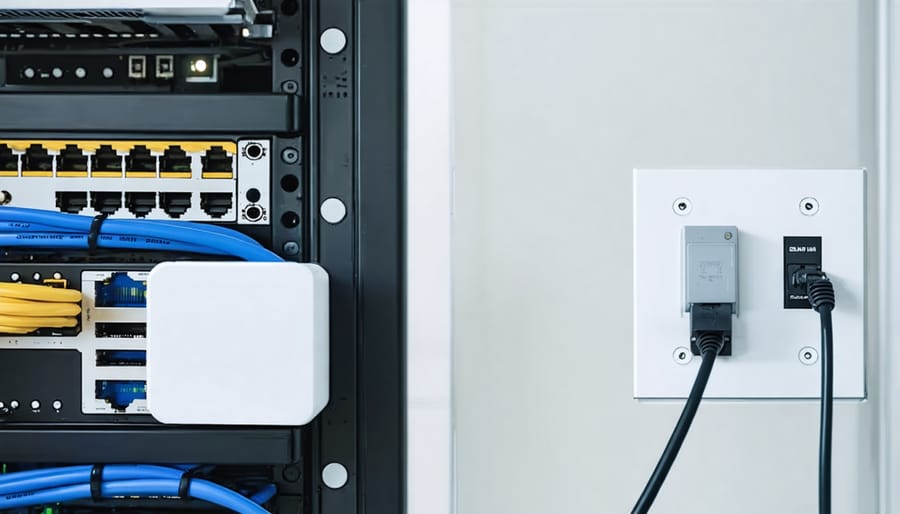
Think of device verification like checking who’s at your door before letting them in—except you’re doing it every single time, not just once. The good news? Setting this up for your smart shed security systems is easier than you might think.
Start with multi-factor authentication (MFA) on all your smart devices and apps. This means when you log in, you’ll enter your password plus a second verification step, like a code sent to your phone. Most smart lock and camera apps offer this feature in their settings menu—usually just a simple toggle to turn on. Yes, it adds an extra 10 seconds to your login, but it’s like adding a deadbolt to your regular lock.
Next, tackle password hygiene without stress. You don’t need to memorize complex codes. Use a password manager app (many are free) to create and store strong, unique passwords for each device. Set a calendar reminder every six months to update your most critical passwords, like those for shed cameras or smart locks.
For device authentication, register only the phones and tablets you actually use to control your shed systems. Most apps let you see which devices have access—take five minutes to review this list monthly and remove any you don’t recognize. If you’ve upgraded phones or given away a tablet, revoke its access immediately.
This layered approach means even if someone gets one piece of information, they still can’t access your shed’s systems.
Monitor and Control Access Like a Pro
Keeping track of who and what accesses your shed’s smart systems doesn’t require a computer science degree. Think of it like checking your front door security camera – you simply want to know what’s happening and when. Most modern routers come with built-free apps that show every device connected to your network, making monitoring surprisingly straightforward.
Start by downloading your router’s companion app (brands like Netgear, TP-Link, and Eero all offer user-friendly options). These apps display a real-time list of connected devices, from your shed automation tools to smartphones. Take fifteen minutes to identify each device and give them recognizable names – “Shed Security Camera” beats “Unknown Device 7” any day.
Set up alerts for unusual activity. Most router apps let you enable notifications when new devices attempt to connect. One homeowner in Oregon discovered an unauthorized connection this way, preventing a potential security breach before it became serious. Enable these alerts during your initial setup, and you’ll sleep better knowing you’ll be notified of anything suspicious.
Watch for these red flags: devices connecting at odd hours, multiple failed login attempts, or unfamiliar device names appearing on your network. Check your connected devices list weekly – it takes just two minutes and becomes second nature quickly.
For enhanced monitoring, consider apps like Fing or GlassWire. These free tools provide detailed information about network traffic and can alert you to potential vulnerabilities. They translate complex data into simple, color-coded dashboards that anyone can understand.
Remember, monitoring isn’t about becoming a cybersecurity expert – it’s about staying aware of your shed’s digital environment, just like you’d notice if someone unfamiliar was hanging around your property.
Real Homeowners Share Their Smart Shed Security Stories
When Sarah from Portland added smart cameras and locks to her backyard shed, she never imagined someone could hack into her system. “I used the same password for everything because it was easier to remember,” she admits. Within months, she noticed her camera feed was being accessed at odd hours by an unknown device. After implementing zero-trust principles, Sarah now uses unique passwords for each device, enables two-factor authentication, and regularly updates her smart lock firmware. “It takes a few extra minutes to set up, but knowing my tools and equipment are actually secure helps me sleep better at night.”
Mike and Jennifer’s story started differently. They discovered their Wi-Fi-connected shed sensors were sharing data through unsecured networks after a neighbor mentioned seeing their shed activity on a shared app. “We had no idea our devices were visible to others on the network,” Jennifer explains. They quickly created a separate guest network specifically for their shed devices, isolating them from their home computers and personal devices. “The hardest part was just understanding we needed to do it. Once we watched a simple tutorial, the whole setup took about 20 minutes.”
The biggest lesson from these homeowners? Don’t wait for a security issue to take action. Tom from Michigan says it best: “I thought cybersecurity was only for tech experts. Turns out, it’s just about building good habits. Now I check my device permissions monthly, just like I check my shed’s physical locks. It’s become part of my regular maintenance routine, and it’s honestly pretty simple once you get started.”
Smart and Secure: Choosing Shed Technology Wisely
Before choosing smart shed technology, understanding security features can save you from future headaches. Think of it like buying a lock for your front door—you want to know it actually works before installing it.
Look for devices with WPA3 encryption, the current gold standard for wireless security. This simply means your device scrambles data so hackers can’t easily read it. If a product only mentions WPA2 or doesn’t specify encryption at all, that’s a red flag. Similarly, check for security certifications like UL or ETL listings, which indicate the device has passed independent safety and security testing.
Two-factor authentication is another must-have feature. This means you’ll need both a password and a secondary code (usually sent to your phone) to access your device. It’s like having two locks instead of one—significantly harder for unauthorized users to breach.
Watch out for devices requiring you to create an account with vague privacy policies or those asking for unnecessary personal information. Quality manufacturers are transparent about how they handle your data. Also avoid devices that can’t receive firmware updates, as these updates patch security vulnerabilities discovered after purchase.
At Storage Sheds Outlet, we help customers evaluate their technology needs before making purchases. Real customer Sarah from Ohio shared how she appreciated guidance on compatible security systems during her shed consultation: “I had no idea what questions to ask about smart locks until the team walked me through the basics.”
Remember, the cheapest option isn’t always the smartest choice when security is involved. Investing in certified, well-reviewed devices protects both your shed contents and your peace of mind.
Protecting your smart shed doesn’t have to feel overwhelming or require a computer science degree. The beauty of zero-trust security is that it’s built on simple, common-sense principles: verify everything, trust nothing by default, and limit access to what’s truly necessary. Think of it like locking your shed door—you’re just applying that same practical mindset to your digital setup.
You’ve already invested time and money into creating the perfect storage solution for your property. Whether it’s housing expensive tools, protecting seasonal equipment, or serving as a workshop space, your shed matters. Taking a few straightforward steps to secure the smart devices inside protects not just that investment, but your entire home network too.
Start small. Pick just one or two actions from what you’ve learned—maybe changing those default passwords or setting up a guest network for your shed’s Wi-Fi devices. You don’t need to implement everything overnight. Many homeowners find that once they take that first step, the next ones feel less intimidating.
The good news? You’re already more prepared than you think. You’ve taken the most important step by learning about these risks. Your smart shed can be both convenient and secure—and you absolutely have the tools to make that happen.