


Why Your Smart Shed Won’t Talk to Your Smart Home (And How to Fix It)

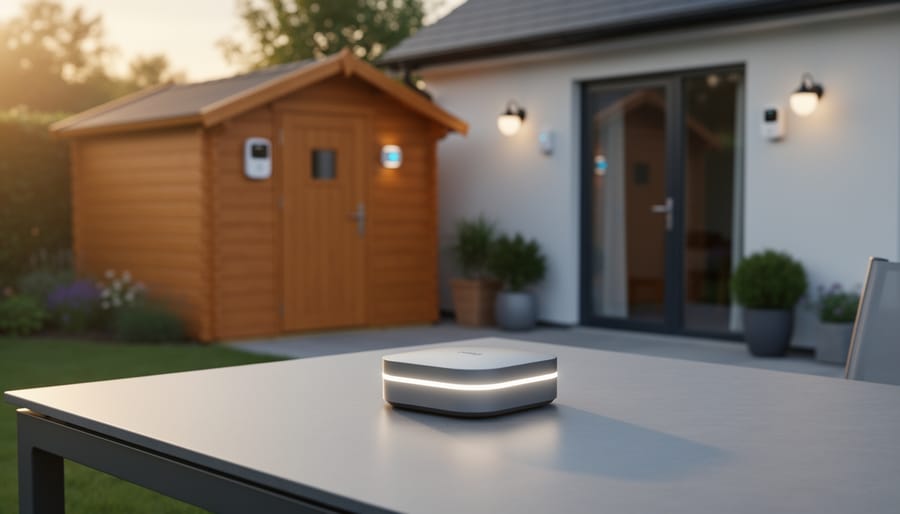
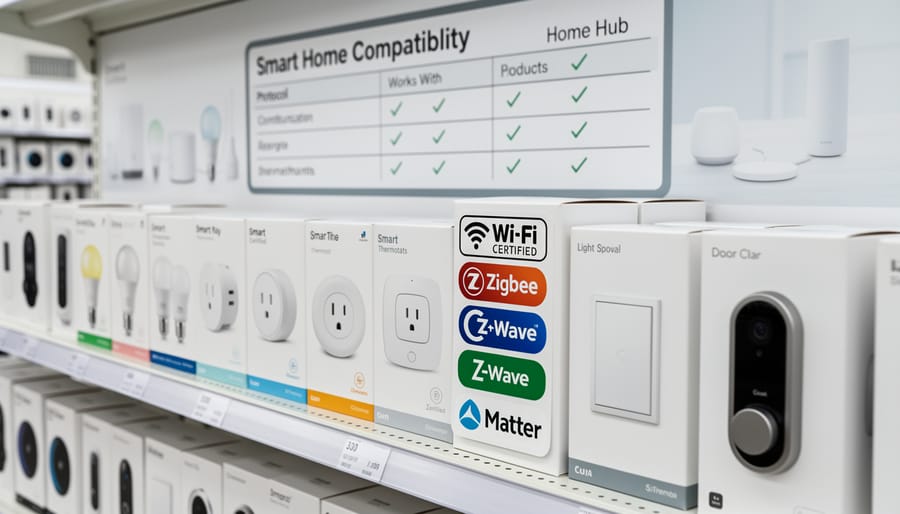
Check device labels for compatibility certifications like Zigbee, Z-Wave, or Wi-Fi before purchasing any smart shed equipment. These universal protocols determine whether your motion sensors, smart locks, and temperature monitors can communicate with each other and your control hub. A Zigbee-certified door sensor will instantly connect with other Zigbee devices, while mixing incompatible standards leaves you juggling multiple apps and controllers.
Choose a central smart hub that supports multiple protocols simultaneously. Quality hubs like Samsung SmartThings or Hubitat work with several communication standards at once, eliminating the frustration of discovering your new smart light won’t talk to your existing security system. This single investment prevents the common headache of buying devices that sit unusable in their boxes.
Create a compatibility checklist before shopping by listing your existing smart devices and their protocols. When your current setup uses Z-Wave for security sensors, prioritize Z-Wave lighting and climate controls to maintain seamless communication. This simple planning step saves money and prevents the disappointment of incompatible purchases.
Test device connections in your home before permanent shed installation. Smart technology that works flawlessly indoors sometimes struggles with shed distances and building materials. Running a weekend trial ensures your devices maintain strong signals and actually perform their intended functions, whether that’s remote door locking or humidity monitoring. Real users consistently report that compatibility issues surface during testing, not after complicated installations.
What Interoperability Actually Means for Your Shed
Think of interoperability as the universal language your smart shed devices speak to work together seamlessly. Just like you’d want all your family members to understand each other at the dinner table, your shed’s technology needs to communicate effectively too.
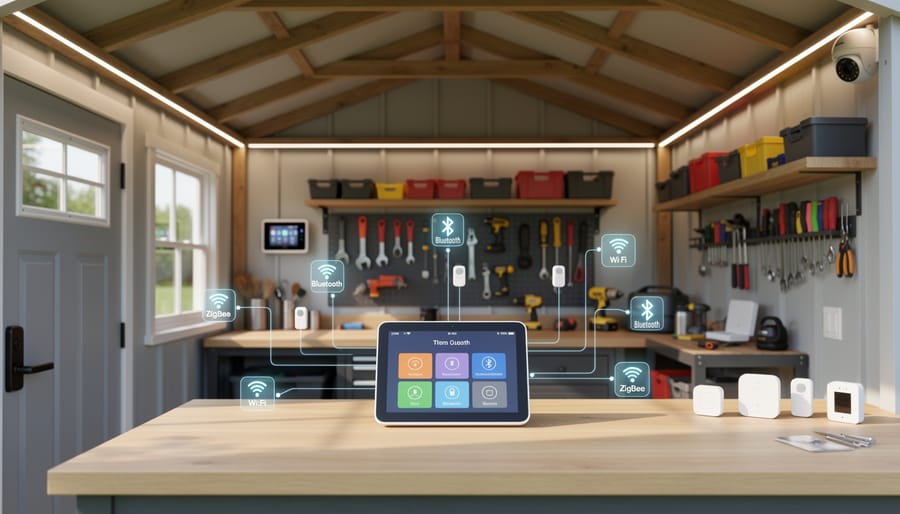
Here’s what this looks like in practice. Imagine you’ve installed smart locks and security cameras in your shed, along with motion-sensor lighting and temperature monitors. Without interoperability, you’d need separate apps for each device, and they’d operate in isolation. But when these devices are interoperable, magic happens: your motion sensor detects movement, automatically triggers the lights, starts recording on your camera, and sends an alert to your phone, all working together as one system.
The real benefit shows up in everyday scenarios. Sarah, a homeowner in Oregon, initially bought a smart lock for her garden shed without thinking about compatibility. When she later added climate sensors to monitor her stored camping gear, she discovered they couldn’t connect to the same hub. She ended up juggling two different apps just to check on her shed. This is the problem interoperability solves.
When devices are interoperable, they connect to your existing home system, whether that’s Google Home, Amazon Alexa, or Apple HomeKit. You can create automation routines like “Good Night” that locks your shed, turns off the lights, and arms the security system with a single command. Your temperature sensor can trigger a notification when humidity rises too high, protecting valuable tools from rust.
The key is ensuring all your devices speak the same protocol, like Zigbee, Z-Wave, or Wi-Fi, so they can share information and respond to each other’s triggers, creating a truly smart storage solution that works as hard as you do.
The Real Problem: When Your Smart Devices Don’t Play Nice
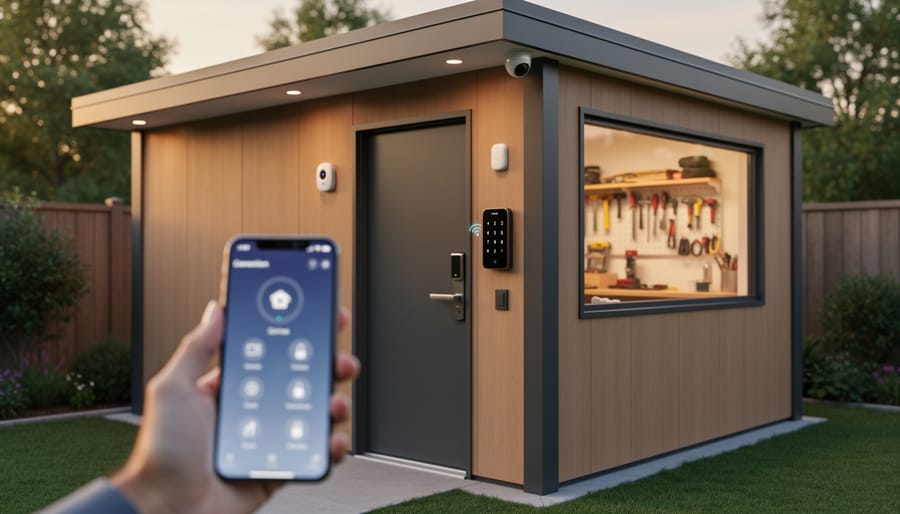
Picture this: You’ve just spent $150 on a fancy smart door lock for your shed, excited to check on your tools from your phone. But when you get home, you discover it only works with Apple HomeKit, and your existing smart lights run on Zigbee. Your security camera? That’s Team Google Home. Now you’re juggling three different apps just to manage one shed, and they can’t talk to each other at all.
Sound familiar? You’re not alone.
Sarah from Michigan learned this lesson the hard way. “I bought a smart temperature sensor to monitor my workshop shed during winter,” she shares. “It looked perfect online, but I didn’t realize it needed a special hub that cost another $80. My existing smart plug used a completely different system, so I couldn’t set them to work together. I wanted the heater to turn on automatically when temperatures dropped, but instead, I ended up with two devices that just sat there doing their own thing.”
Then there’s Mike, who discovered his Wi-Fi based shed camera couldn’t reach his router. He purchased a Bluetooth humidity monitor as a backup solution, only to find out Bluetooth devices need you to be within 30 feet to check readings. “I basically wasted $200 trying to cobble together a system that barely functioned,” he admits.
These frustrations aren’t just annoying—they’re expensive. When devices don’t communicate, you end up buying duplicate hubs, replacing incompatible gadgets, or worse, abandoning your smart shed dreams altogether. The real kicker? Most of these headaches are completely avoidable once you understand how different protocols work together.
The Big Three: Standards That Actually Matter for Your Smart Shed
Zigbee: The Budget-Friendly Workhorse
Think of Zigbee as the reliable, cost-effective team player in your smart shed setup. This wireless protocol has been around for years, quietly powering everything from door sensors to temperature monitors without breaking the bank or draining batteries every few weeks.
What makes Zigbee particularly appealing for shed applications is its impressive range and energy efficiency. Unlike WiFi devices that constantly search for your home network (often struggling if your shed is far from the house), Zigbee creates its own mesh network. Each device acts as a signal repeater, extending coverage naturally as you add more components. This means your motion sensor can talk to your smart lock, which talks to your hub, creating a self-strengthening network that easily spans typical backyard distances.
Battery life is where Zigbee truly shines. Many Zigbee sensors run for years on a single battery because they only wake up when needed, making them perfect for those hard-to-reach spots in your shed where changing batteries frequently would be a hassle.
Common Zigbee devices ideal for sheds include door and window sensors, moisture detectors (crucial for protecting tools and equipment), smart locks, motion-activated lights, and temperature monitors. One homeowner shared how their Zigbee moisture sensor saved hundreds in tool damage by alerting them to a small roof leak before rust set in.
The trade-off? You’ll need a compatible hub or bridge to connect Zigbee devices to your smartphone, adding one extra component to your setup. However, this small investment opens the door to hundreds of affordable, reliable smart devices that work together seamlessly.
Z-Wave: The Reliable Alternative
While Zigbee gets plenty of attention, Z-Wave offers a compelling alternative that many shed owners find easier to work with. Think of Z-Wave as the more exclusive club – it operates on a different frequency (908.42 MHz in North America) and requires manufacturers to meet strict certification standards before they can use the Z-Wave logo.
The biggest practical difference? Z-Wave devices almost always work together right out of the box. Because every Z-Wave product must pass rigorous compatibility testing, you won’t face the frustrating trial-and-error that sometimes comes with Zigbee. One homeowner shared how she switched to Z-Wave for her garden shed after spending weeks troubleshooting Zigbee compatibility issues – her new Z-Wave door sensor, smart lock, and lighting connected flawlessly within minutes.
Z-Wave really shines in metal sheds where interference can be a problem. Its lower frequency penetrates walls and metal surfaces better than Zigbee’s signal, which means more reliable communication between your devices. However, Z-Wave networks typically support fewer devices (around 232 maximum) compared to Zigbee, and individual products often cost a bit more.
Z-Wave makes the most sense for your shed if you value plug-and-play simplicity over endless device options, have a metal structure, or only need to connect a handful of smart devices. If you’re planning a basic setup with a smart lock, motion sensor, and a few lights, Z-Wave’s reliability and ease of use often outweigh the premium price tag.
Wi-Fi and Matter: The New Kid on the Block
If you’ve been shopping for smart devices for your shed, you’ve probably noticed that many run on Wi-Fi. It’s familiar, it’s already in your home, and it seems like the obvious choice. Wi-Fi devices connect directly to your home network, meaning you can control them from anywhere with an internet connection. For shed owners, this is particularly handy when you want to check if you remembered to close that smart garage door or turn off the heater.
However, Wi-Fi has its challenges. Each device needs decent signal strength, which can be tricky if your shed is at the far end of your property. Wi-Fi devices also tend to be power-hungry, meaning more frequent battery changes or the need for constant power sources. And here’s the kicker: until recently, a Wi-Fi smart lock from one manufacturer might not play nicely with a Wi-Fi lighting system from another.
Enter Matter, the game-changing standard that’s creating quite the buzz in the smart home world. Think of Matter as a universal translator for your smart devices. Launched in 2022, it’s backed by tech giants like Apple, Google, Amazon, and Samsung, which means it has serious staying power.
What makes Matter exciting for shed owners? It promises true interoperability. That smart sensor you bought for detecting moisture? It can now trigger your smart dehumidifier, even if they’re from different brands. Matter works over Wi-Fi and other protocols, giving you flexibility in how you set up your shed.
The practical upside is real. Sarah from Oregon shared that after switching to Matter-compatible devices in her workshop shed, she finally got her motion sensors talking to her smart lights without needing three different apps. That’s the kind of simplicity we’re all looking for.
Building Your Smart Shed the Right Way: A Practical Roadmap
Start With Your Hub (Or Use What You Already Have)
Before investing in new devices for your shed, take a good look at what you’re already using in your home. If you’ve got Alexa speakers throughout your house, or you’re already comfortable with Google Home or Apple HomeKit, you’re halfway there! These existing platforms can extend seamlessly to your shed, saving you the learning curve and avoiding compatibility headaches down the road.
The beauty of sticking with what you know is that you won’t need to juggle multiple apps or remember different voice commands. Your shed devices simply become part of your existing ecosystem. Already asking Alexa to turn off the living room lights? You’ll use the same natural commands for your shed’s security camera or heater.
If you’re starting fresh, choosing a smart home hub comes down to a few practical considerations. Think about your comfort level with technology and which voice assistant feels most intuitive to you. Also consider which devices you’re planning to add—some hubs play nicer with certain brands than others.
Here’s a real-world tip from longtime shed owner Marcus: “I stuck with my Google Home setup instead of buying a separate hub for my workshop shed. Now when I’m carrying lumber with both hands, I can just shout to turn on the overhead lights. Same system, zero fuss.”
The key is ensuring your chosen hub supports Matter or Zigbee protocols, which we’ll explore next. This compatibility gives you flexibility as your smart shed grows.
The Compatibility Checklist Before You Buy
Before you add that smart lock or automated lighting system to your cart, take a moment to run through this essential compatibility checklist. It’ll save you from the frustration of discovering your new gadgets can’t talk to each other.
Start by asking the retailer or checking the product packaging for these key details: What wireless protocol does the device use? Look for clear labels indicating Zigbee, Z-Wave, Wi-Fi, or Matter certification. If you’re already using a smart home hub, make sure your new purchase explicitly lists compatibility with your brand.
Next, check which voice assistants the device supports. If you’ve invested in Amazon Alexa or Google Home, you’ll want products that work seamlessly with your existing setup. The packaging should prominently display compatibility badges.
Here’s a real-world tip from Sarah, a DIY enthusiast from Portland: “I always photograph my current smart devices and their model numbers before shopping. When I’m in the store, I can quickly cross-reference whether new products will work with what I already own.”
Don’t forget to verify the power requirements. Does the device need constant electrical power, or will batteries suffice? This matters especially in sheds without dedicated outlets.
Finally, check online reviews specifically mentioning integration challenges. Other homeowners often share valuable insights about whether setup was truly plug-and-play or required technical troubleshooting. Taking these five minutes upfront prevents hours of headaches later.
Popular Smart Shed Upgrades That Actually Work Together
Let’s talk about smart upgrades that work beautifully together right out of the box. The good news? You don’t need to be a tech wizard to create a fully connected smart shed.
The most reliable combination starts with a smart home hub like Samsung SmartThings or Amazon Echo. These act as the central command center, letting different devices communicate seamlessly. Sarah from Portland learned this the hard way after buying individual smart devices that wouldn’t talk to each other. Once she added a hub, everything clicked into place.
For security, Ring and Arlo cameras work exceptionally well with smart locks from August or Yale. These systems share the same communication protocols, meaning when your camera detects motion, your smart lock can automatically secure the door. Many homeowners pair these with smart doorbells too, creating a complete security ecosystem around their shed.
Temperature monitors and automated ventilation from brands like Govee and Sensibo integrate smoothly with most major platforms. They’ll automatically adjust ventilation when temperatures spike, protecting your stored items without constant monitoring. This becomes especially valuable if you’re storing electronics, tools, or seasonal decorations that need consistent conditions.
Compatible smart lighting from Philips Hue or LIFX rounds out the package nicely. These lights connect to the same hub controlling your other devices, letting you create automated schedules or motion-triggered illumination.
The real magic happens when these systems work together. Your camera detects movement, lights turn on automatically, and you receive an instant phone notification. Meanwhile, your temperature monitor keeps conditions perfect inside. It’s the kind of seamless experience that makes smart technology genuinely worthwhile.
Future-Proofing Your Investment
Making smart decisions today means your shed won’t become a tech graveyard tomorrow. Here’s how to protect your investment and keep your smart shed systems running smoothly for years to come.
Start by prioritizing established standards over proprietary systems. Think of it like choosing between a universal charging cable and a brand-specific one that only works with certain devices. Standards like Zigbee, Z-Wave, and Matter have broad industry support, meaning you’ll find replacement parts and compatible upgrades down the road. Sarah, a homeowner from Portland, learned this the hard way when her proprietary smart lock manufacturer went out of business, leaving her unable to update her system or add new features.
Backward compatibility is your safety net. Before buying any smart device, check whether the manufacturer has a track record of supporting older models with new features. Companies that regularly provide firmware updates show commitment to keeping your equipment current. Look for products that promise at least three to five years of software support.
Regular firmware updates are essential, not optional. These updates often include security patches and new features that extend your device’s lifespan. Set reminders to check for updates quarterly, or better yet, enable automatic updates where available. This simple habit can mean the difference between a system that stays relevant and one that becomes obsolete.
Choose hub-based systems that support multiple protocols. This gives you flexibility to mix and match devices as technology evolves. If one standard becomes outdated, you won’t need to replace everything at once. Think of your smart hub as a translator that helps different devices speak the same language, protecting you from being locked into a single ecosystem that might not serve your needs tomorrow.
You’re now equipped with everything you need to create a smart shed setup that actually works together seamlessly. By understanding the basics of Wi-Fi, Zigbee, Z-Wave, and Matter, you’ve already saved yourself from the frustration of buying incompatible devices that end up gathering dust on a shelf.
Remember Sarah’s story about her lighting disaster? That could have been you, but now you know better. Before purchasing any smart device for your shed, check which protocol it uses and confirm it plays nicely with your existing system. Keep your hub requirements simple, look for Matter certification when possible, and don’t hesitate to start small with one or two devices to test the waters.
The beauty of understanding interoperability is that you’re making informed decisions rather than expensive mistakes. Your shed can become exactly what you envision: a well-lit, climate-controlled, secure space that responds to your needs. Whether you’re storing garden equipment, creating a workshop, or building a hobby retreat, the right combination of compatible smart devices will enhance your experience without breaking the bank. Take your time, do your homework on compatibility, and enjoy building a connected shed that genuinely makes your life easier.